You can add data to an eligible, active fixed-data plan from My Halo. A top-up uses the eSIM already on your phone, so there is no new QR code and nothing to install.
Unlimited plans cannot be topped up. See what to do when an Unlimited plan ends.
How to top up
- Open the manage link in your order confirmation email. If you cannot find it, open My Halo, enter the email used at checkout and choose Email me my link.
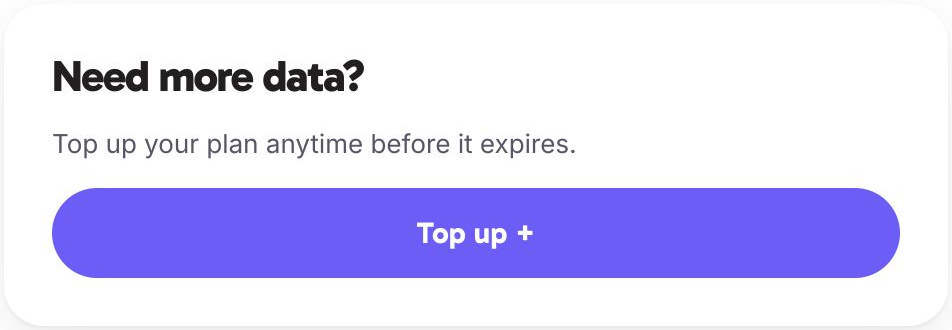
- Find the top-up card and choose Top up +. On a low-data plan, the card may be headed Add data now.
- Choose from the available options in the top-up window. Review the data, price and any validity information shown before continuing.
- Complete checkout. My Halo shows the top-up being applied, then updates your plan information. Check the updated balance before relying on the extra data.
If the top-up is still being applied, keep the page open and allow it to update. Do not buy the same top-up again while you are waiting.
If you cannot see an available top-up
Top-ups unlock once an eligible eSIM is active. Before activation, the card explains this instead of offering a purchase. Expired plans cannot be topped up, and options may be unavailable for a particular plan.
If your active fixed-data plan has no available options, ask Hal using the launcher in the bottom-right corner.
When to top up
Top-ups are available only while your plan is active. Once your plan expires it cannot be topped up – you would need a new plan instead.
Check your remaining data regularly during your trip. See Check your remaining data for how to view your usage.
Top up while you still have an active data connection or Wi-Fi access. If your data runs out completely, you will need Wi-Fi to reach your portal page and complete the purchase.
Buying a new plan instead
If your plan has already expired, or you want coverage for a different destination, buy a new plan from Destinations. A new plan is a separate eSIM profile with its own fresh allowance and validity period – you will receive a new QR code by email and install it alongside or in place of the old one. Follow the setup guide for your device:
After installing a new profile, set it as your data line in your device settings.
Managing multiple eSIM profiles
Your device can store multiple eSIM profiles. If you buy a new plan rather than topping up, you will have two Halo profiles on your device. Set the new profile as your active data line and leave the old one in place or remove it.
iPhone: Open Settings > Mobile Service (Mobile Data on older iOS) > Mobile Data. Select the new Halo eSIM line.
Samsung: Open Settings > Connections > SIM manager > Mobile data. Select the new Halo eSIM.
Pixel/Android: Open Settings > Network and internet > SIMs. Tap the new Halo eSIM and toggle Mobile data on.